For iPhone, iPad, Mac and Android
Export your contacts to Excel, PDF, CSV and more.
Contaxo turns your address book into a file you can open anywhere, keeps a backup you can restore, moves your contacts to a new phone with a QR code and cleans up duplicates.


Free to downloadNo accountWe never see your contacts

What is Contaxo?
Contaxo is a contacts export and backup app for iPhone, iPad, Mac and Android. It saves your contacts as an Excel, PDF, CSV, Word or vCard file, backs them up and restores only what is missing, moves them to a new iPhone or Android phone with an encrypted QR code, imports contacts from Excel, CSV and vCard files, and merges duplicates. Contaxo was previously called Contacts Hero.
Export formats
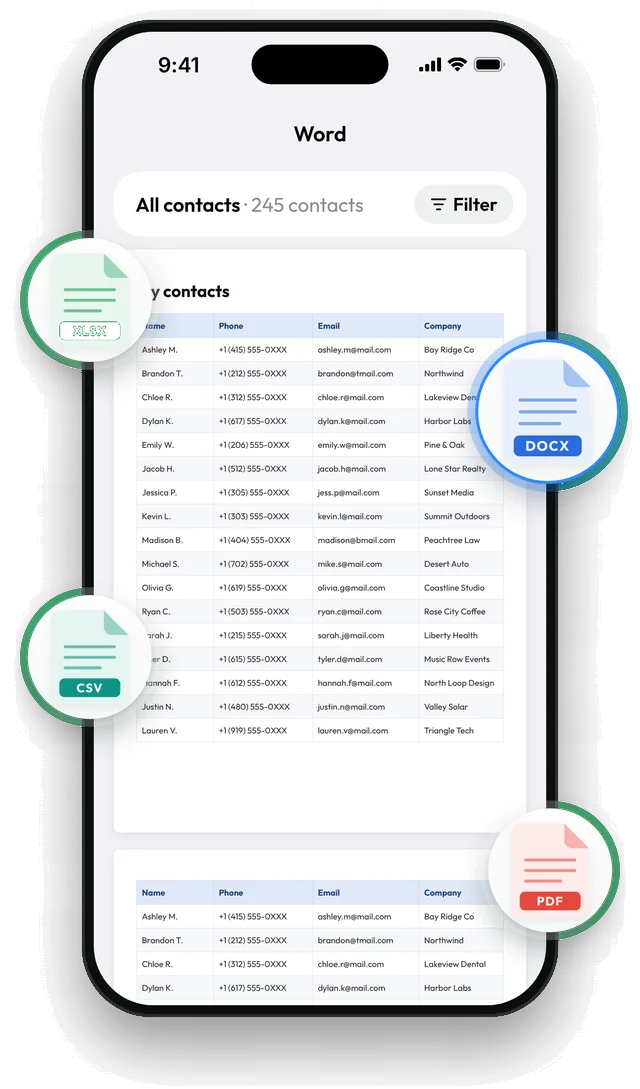
One address book, five kinds of file.
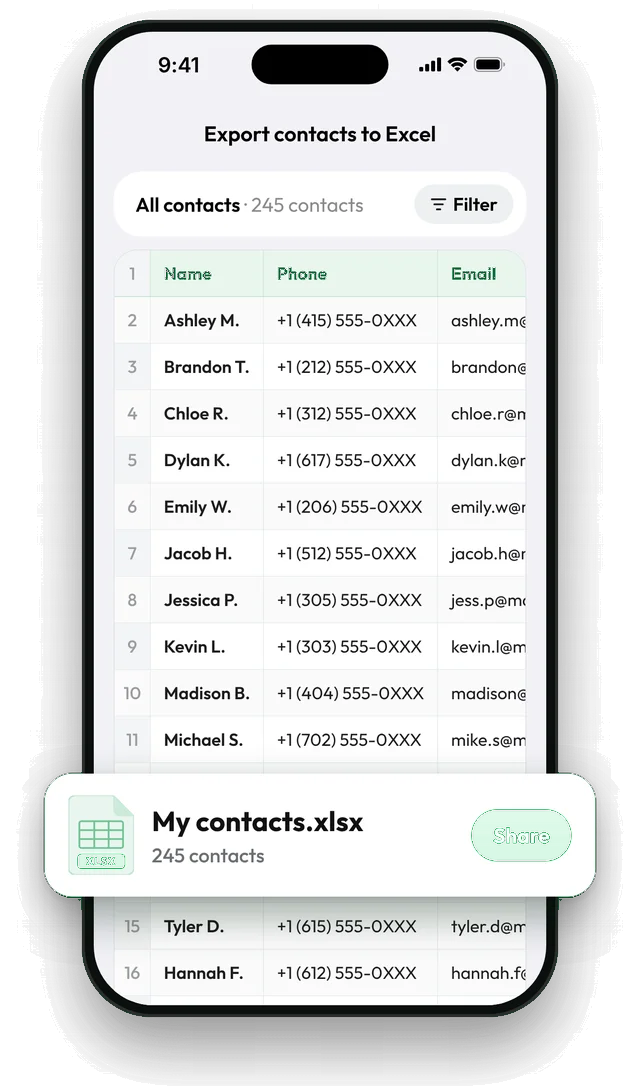
Your phone's Contacts app only exports vCard. Contaxo writes the file you actually need, and shows you the real table or pages before anything is saved.
Export
See the file before you save it.
Pick a format and you get the actual spreadsheet, or every page of the PDF or Word file, right away.
- Turn columns on or off: name, phone, email, company, job title, address, birthday and more.
- Export one group, or only the people with a phone number, an email or a company.
- Save to Files or Google Drive, or send by Mail, Messages or any app.
Back up and restore
Never lose a contact.
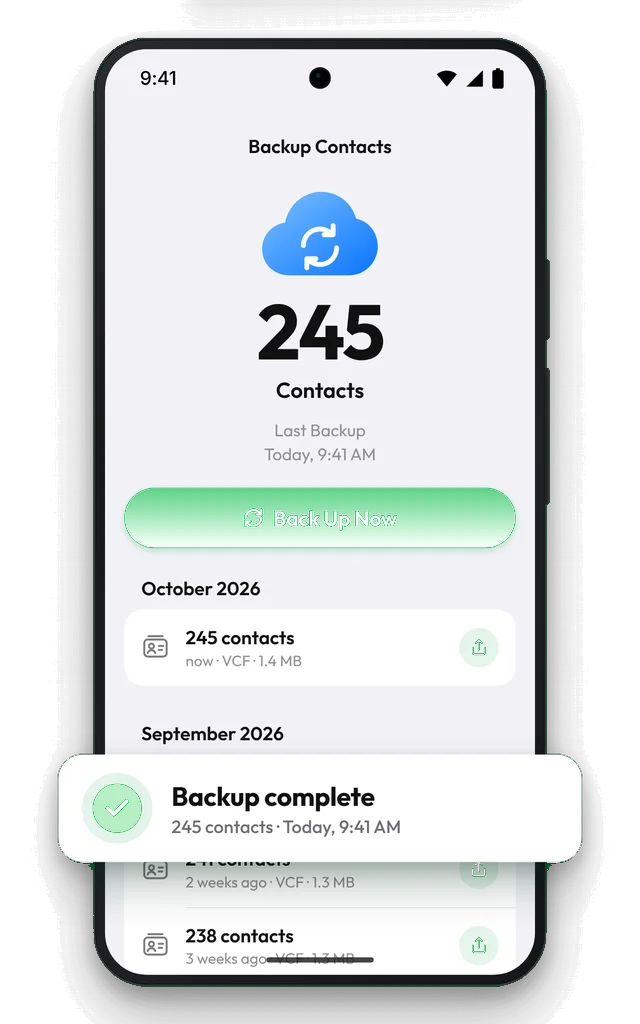
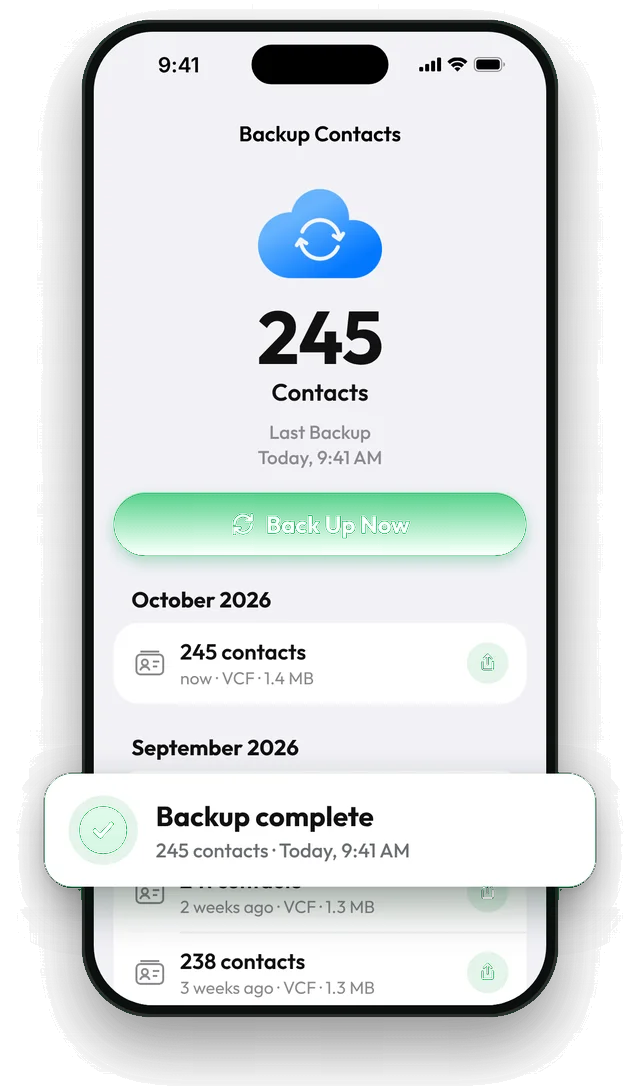
One tap saves a vCard backup of every contact. The Home tab shows when your backup is out of date and how many contacts changed since.
- iPhone and iPad: backups go to your own iCloud Drive and wait for you on your next phone.
- Android: backups stay on the phone, with a copy to Google Drive or Files in one tap.
- Restore adds only the missing contacts. No duplicates.
New phone
Move every contact with a QR code.
Show a QR code on your old phone, scan it with the new one, and your contacts arrive end-to-end encrypted. iPhone to Android, Android to iPhone, or same to same.
- No iCloud, no Google account, no cables.
- Both phones show the same code, so only your new phone can connect.
- People already on the new phone aren't added twice.
Import
From a spreadsheet to your phone.
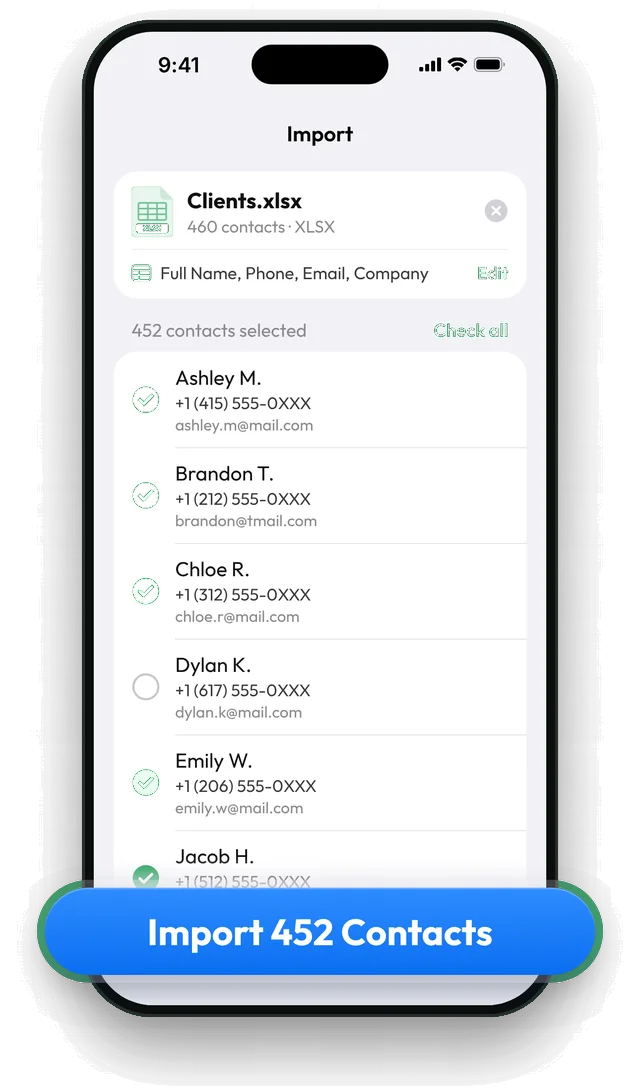
Open an Excel, CSV or vCard file. Contaxo recognises the columns (in 30 languages) and lets you tick who to add before anything is saved.
- Works with files from Google Contacts, Outlook, iCloud and other apps.
- Fix a column if it landed in the wrong place.
Duplicates
Clean up duplicates, with an undo.
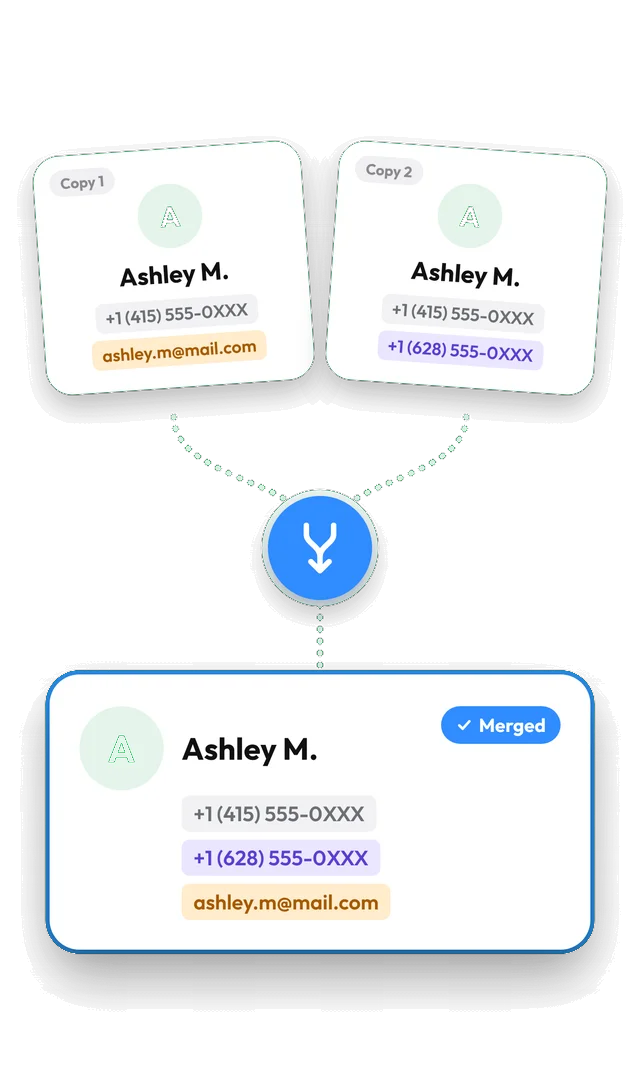
Find copies by name, phone number or email. Delete the extras, or merge each group into one contact that keeps every number, email and address.
- You decide what counts as a match.
- A restore point is saved before every change.
Privacy
We never see your contacts.
Contaxo reads and processes your address book on your device. A file only leaves the app when you share or save it yourself, and contact details are never sent to analytics. How we handle data
- Processed 100% on your device
- Never readable by us
- No account, no sign-up
Free and Pro
Try everything for free.
Previews, backups and restores are free without limits. Pro is for exporting your whole list, bigger imports and merging.
| What you can do | Free | Pro |
|---|---|---|
| Preview Excel, PDF, CSV and Word files | Every contact | Every contact |
| Export and share contacts | Up to 100 contacts | Your whole list |
| Back up and restore | Unlimited | Unlimited |
| Import from Excel, CSV or vCard | Files with up to 5 contacts | Any file size |
| Find and delete duplicates | Yes | Yes |
| Merge duplicates into one contact | – | Yes |
Guides
Step by step
- How to transfer contacts from iPhone to AndroidMove your contacts from an iPhone to an Android phone: with a QR code in Contaxo, during Android setup, with Google's Switch to Android, with your Google account or with one vCard file.
- How to back up your iPhone contacts without iCloudKeep a copy of your iPhone contacts that doesn't depend on iCloud: a vCard file in Files, Google Drive, email or on your computer. Built-in way and the Contaxo way.
- How to export Samsung contacts to ExcelSamsung's Contacts app exports only a VCF file. Here is how to get your Galaxy contacts into a real Excel spreadsheet on the phone, plus the Google Contacts CSV route.
- How to export your contacts to ExcelTurn your iPhone, iPad or Android contacts into a real Excel (.xlsx) spreadsheet in a few taps, with a preview, column picker and filters. No computer needed.
- How to export and print your contacts as a PDFMake a printable PDF contact list from your iPhone, iPad or Android phone. Choose the columns, preview every page and print or share it.
- How to export your contacts to a CSV fileSave your iPhone, iPad or Android contacts as a UTF-8 CSV file for Google Sheets, CRMs, mailing tools and mail merge. Pick columns and filter first.
- How to export your contacts to WordTurn your phone contacts into an editable Word (.docx) table for a phone list, directory or handout. Preview every page, choose columns and filter.
- How to export your contacts to a vCard (VCF) fileSend many contacts at once as one vCard (.vcf) file by WhatsApp, Mail, Messages, AirDrop or Quick Share. The person who gets it adds everyone in one tap.
FAQ
Questions people ask
What is Contaxo?
Contaxo is an app for iPhone, iPad, Mac and Android that turns your contacts into a file: Excel, PDF, CSV, Word or vCard. It also backs up and restores contacts, imports contacts from Excel, CSV and vCard files, and finds and merges duplicates. It was called Contacts Hero before.
Can I export my iPhone contacts to Excel without a computer?
Yes. The iPhone Contacts app can only export a vCard file, but Contaxo writes a real Excel (.xlsx) file on the phone itself. Pick Excel, check the preview, choose the columns, then save or share the file. See Export contacts to Excel.
Is Contaxo free?
It is free to download. The free plan previews every format, exports or shares up to 100 contacts, backs up and restores without limits, imports files with up to 5 contacts, and finds and deletes duplicates. Pro exports your whole list, imports any file and merges duplicates. See Pricing.
Does Contaxo upload my contacts?
No. Exporting, importing, backing up and cleaning up duplicates all run on your device, and we never receive your contacts in readable form. There is no account to create, and a file leaves the app only when you share or save it yourself.
Does it work on Android?
Yes. Contaxo is on Google Play for Android phones, tablets and foldables (Android 7.1 or later) with the same export, backup, import and duplicate tools. See Contaxo for Android.
How do I move my contacts to a new phone?
Open Contaxo on the old phone, tap Transfer to New Phone and scan the QR code with the new phone. It works between iPhone and Android in both directions and doesn't need iCloud or a Google account. See Move your contacts to a new phone.
Will restoring a backup create duplicate contacts?
No. Restoring adds only the contacts that are missing from your address book. Contacts you already have are left as they are. See Back up and restore contacts.
Can I import contacts from an Excel or CSV file?
Yes. Contaxo reads Excel (.xlsx, .xls), CSV and vCard files, matches the columns for you and lets you tick the contacts to add before anything is saved. See Import contacts.
Who makes Contaxo?
ONNEX Yazılım A.Ş., a software company in Eskişehir, Türkiye. The iPhone app has been on the App Store since January 2021.
Your contacts, in any file you need.
Free to download for iPhone, iPad, Mac and Android. No account, and we never see your contacts.